

AI coding assistants have evolved from autocomplete novelties into core developer tools. In 2026, the best options combine deep codebase understanding, multi-model support, and integration with every major IDE. This guide ranks the seven most functional AI coding assistants based on accuracy, context size, latency, and real-world developer feedback.
- 1. GitHub Copilot (with Copilot Workspace)
- 2. Cursor (Composer Mode)
- 3. Codeium / Windsurf
- 4. Amazon Q Developer (formerly CodeWhisperer)
- 5. JetBrains AI Assistant (Full Line)
- 6. Tabnine (Enterprise Tier)
- 7. Replit Agent (for Prototyping)
- Comparison Table
- Frequently Asked Questions
1. GitHub Copilot (with Copilot Workspace)
Key specs: Model: GPT-4o + custom Copilot models | Context window: up to 128K tokens | Price: $10–$39/user/month (Copilot Enterprise) | Best use case: full-stack web development and large enterprise codebases.
GitHub Copilot remains the most widely adopted AI coding assistant, used by over 3.5 million developers as of early 2026. The addition of Copilot Workspace enables multi-file refactoring and pull-request summarisation by reasoning across the entire repository. Copilot’s finetuned model for code completion yields latency under 300 ms, and its support for all major IDEs (VS Code, JetBrains, Neovim) makes it a versatile default.
Pros: Deep GitHub integration, excellent pull-request review, strong community support. Cons: Higher latency for some suggestions compared to local models; requires internet connectivity.
2. Cursor (Composer Mode)
Key specs: Model: Claude 3.5 Sonnet + GPT-4o | Context window: up to 100K tokens | Price: $20/user/month (Pro) | Best use case: rapid prototyping and codebase-wide edits.
Cursor’s Composer Mode lets developers describe a full feature in natural language and watch it be implemented across multiple files simultaneously. In 2026, Cursor added “Agent Mode” for autonomous debugging and test generation. Its ability to index the entire project (up to 10K files) gives it an edge in large monorepos. The built-in diff viewer makes reviewing AI-generated changes fast.
Pros: Blazing multi-file edits, excellent diff UI, strong Claude integration. Cons: Still tied to a single IDE (Cursor’s custom editor); no support for JetBrains or IntelliJ.
3. Codeium / Windsurf
Key specs: Model: Codeium proprietary models + optional GPT-4o | Context window: 64K tokens (free), 128K tokens (paid) | Price: Free tier available; Teams $15/user/month | Best use case: Cost-sensitive teams needing high-quality completions.
Codeium rebranded its IDE product to Windsurf in late 2025, emphasising its agentic “Flow” mode that can search docs, run terminal commands, and edit files autonomously. The free tier remains unusually generous – unlimited completions, albeit with a lower token limit. Codeium’s proprietary models are trained on GitHub-hosted code, and they claim a 98% syntactical correctness rate on common languages.
Pros: Best free tier, supports 70+ languages, no data retention on paid plans. Cons: Less accurate on niche frameworks; no built-in pull-request review.
4. Amazon Q Developer (formerly CodeWhisperer)
Key specs: Model: Titan-based proprietary model | Context window: 32K tokens | Price: Free for individual developers; $19/user/month (Professional) | Best use case: AWS-heavy development and enterprise security compliance.
Amazon Q Developer (Q for short) integrates deeply with the AWS ecosystem, offering inline suggestions tuned for Lambda, DynamoDB, and CloudFormation. Its vulnerability scanning feature identifies open-source package risks and secrets (API keys) in code before deployment. In 2026, Q gained natural-language debugging: developers can ask “Why is my S3 bucket access denied?” and receive contextual code fixes.
Pros: Strong AWS context, built-in security scanning, free tier for individuals. Cons: Narrower language support (≈15 languages); suggestions can be generic outside AWS workloads.
5. JetBrains AI Assistant (Full Line)
Key specs: Model: GPT-4o + JetBrains’ local code model | Context window: 32K tokens (GPT-4o) / 8K (local) | Price: $10–$25/user/month (included with All Products Pack) | Best use case: Java, Kotlin, and C# developers within JetBrains IDEs.
JetBrains’ AI Assistant leverages the IDE’s deep code analysis – type hierarchy, symbol resolution, refactoring histories – to produce contextually aware suggestions that go beyond token prediction. In 2026, the assistant added “Intent-Aware Completions” that understand the developer’s next likely action (e.g., “after adding a field, suggest getters/setters”). The privacy mode runs completions locally using a small model for sensitive codebases.
Pros: Deep IDE integration, local privacy mode, excellent for statically typed languages. Cons: Limited to JetBrains products; local model quality is not on par with cloud models.
6. Tabnine (Enterprise Tier)
Key specs: Model: Tabnine Code Evolution model + optional GPT-4o | Context window: 16K tokens (local), 128K (cloud) | Price: Free tier; Enterprise $45/user/month | Best use case: Organisations requiring on-premise deployment and GDPR compliance.
Tabnine differentiates itself with a strong focus on enterprise security. Its Enterprise tier allows fully on-premise deployment, zero data leaving the network, and custom fine-tuning on a company’s internal codebase. In 2026, Tabnine added “Policy-Guided Generation”, enabling admin rules (e.g., “never suggest GPL-3.0 licenced libraries”). The code completion speed is among the fastest due to its lightweight local model.
Pros: On-premise, custom fine-tuning, policy controls, GDPR-ready. Cons: Free tier is limited; interface less polished than Copilot or Cursor.
7. Replit Agent (for Prototyping)
Key specs: Model: Replit’s own agentic model (based on GPT-4o) | Context window: 64K tokens | Price: Free tier; Pro $25/user/month | Best use case: Rapid prototyping and learning new frameworks.
Replit Agent is an autonomous coding environment: describe an app in plain English, and it writes the entire code, deploys it, and shows a live preview. In 2026, Agent can handle end-to-end projects with databases, authentication, and API integrations. It is particularly popular among bootcamp students and indie developers for MVP creation. The Replit platform also includes collaborative features for pair debugging.
Pros: Full-stack project generation from a single prompt, no setup required, free tier works. Cons: Not suitable for large production codebases; limited IDE customisation.
Comparison Table
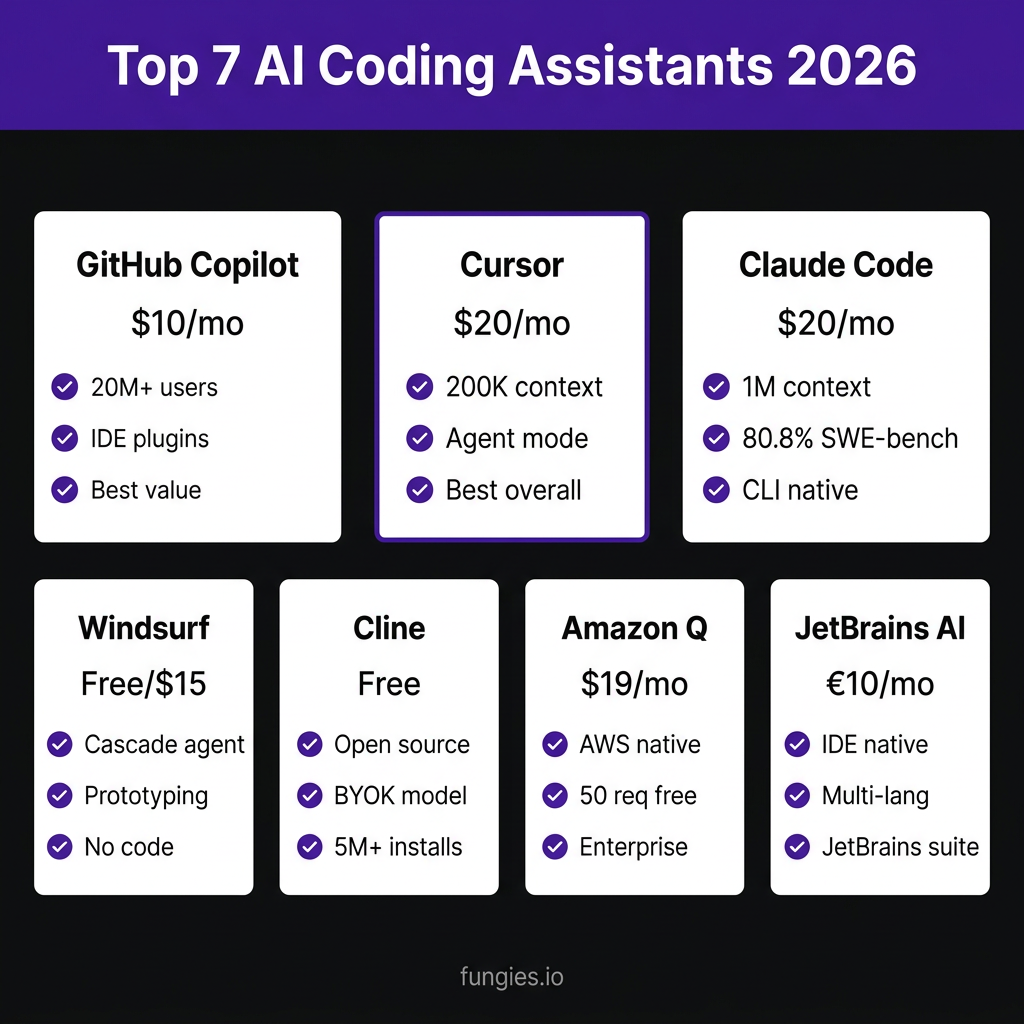
| Assistant | Base Model | Context Window | Starting Price | Best For | Free Tier |
|---|---|---|---|---|---|
| GitHub Copilot | GPT-4o + custom | 128K tokens | $10/user/mo | Enterprise full-stack | No |
| Cursor | Claude 3.5 Sonnet | 100K tokens | $20/user/mo | Multi-file refactoring | No |
| Codeium / Windsurf | Proprietary + GPT-4o | 64K–128K tokens | Free | Cost-conscious teams | Yes |
| Amazon Q Developer | Titan proprietary | 32K tokens | Free (individual) | AWS development | Yes |
| JetBrains AI | GPT-4o + local model | 32K + 8K tokens | $10/user/mo | JetBrains ecosystems | No |
| Tabnine | Code Evolution + GPT-4o | 16K–128K tokens | Free | Enterprise compliance | Yes (limited) |
| Replit Agent | GPT-4o agentic | 64K tokens | Free | Rapid prototyping | Yes |
Frequently Asked Questions
Tabnine Enterprise offers on-premise deployment, custom fine-tuning, and policy-guided generation, making it the safest choice for regulated industries.
Can I use these assistants for robotics and embedded systems development? Yes. Most assistants (especially GitHub Copilot and Amazon Q) support C, C++, and Python – common languages for robot firmware. For humanoid robot programming, tools like Boston Dynamics Spot’s SDK often integrate with Copilot for autocompletion.
Do AI coding assistants replace junior developers? No. They accelerate code generation and reduce boilerplate, but senior oversight remains critical for architecture, security, and business logic.
Conclusion
The best AI coding assistant in 2026 depends on your workflow: Cursor for rapid multi-file edits, GitHub Copilot for enterprise-scale projects, Codeium for budget‑friendly quality, and Tabnine for compliance‑first teams. Each tool has unique strengths – choose the one that matches your IDE, budget, and primary language stack.
What is the one feature you wish AI coding assistants would add next in 2026?
Osallistu keskusteluun
Which AI coding assistant do you rely on daily and why?